
1
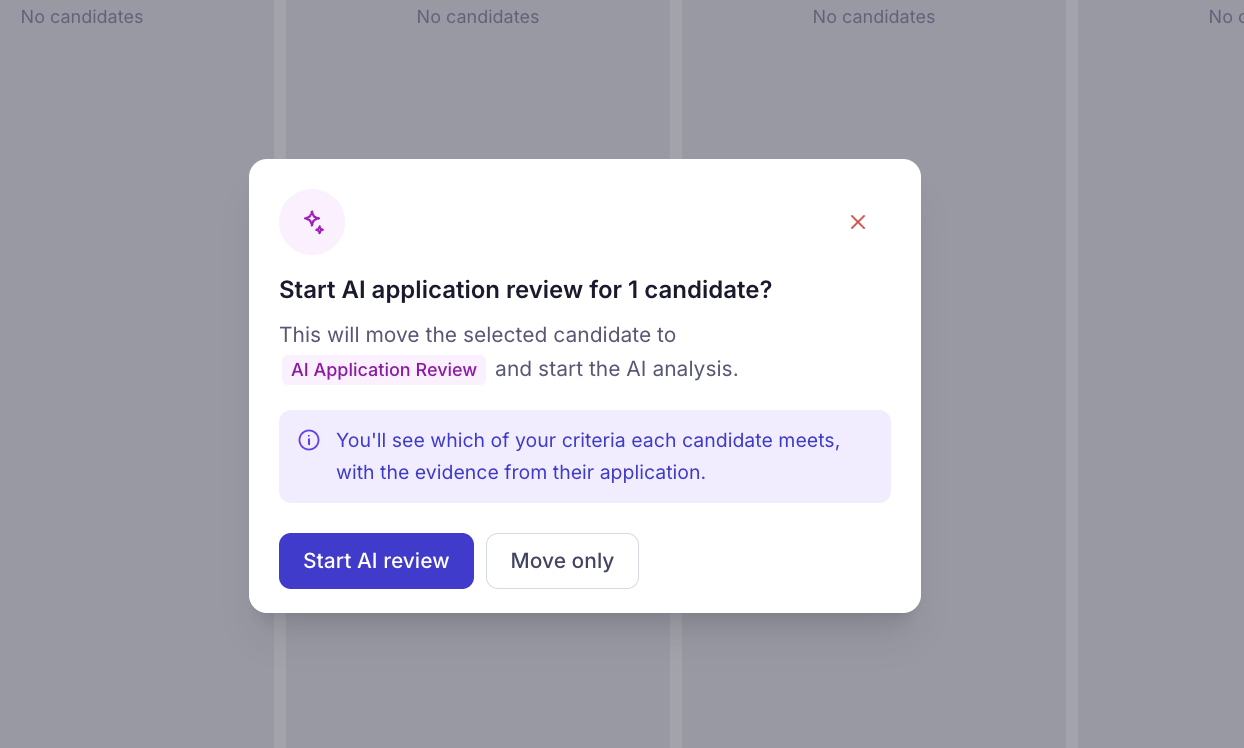
Start AI Application Review
2
Review the evidence-backed AI evaluation
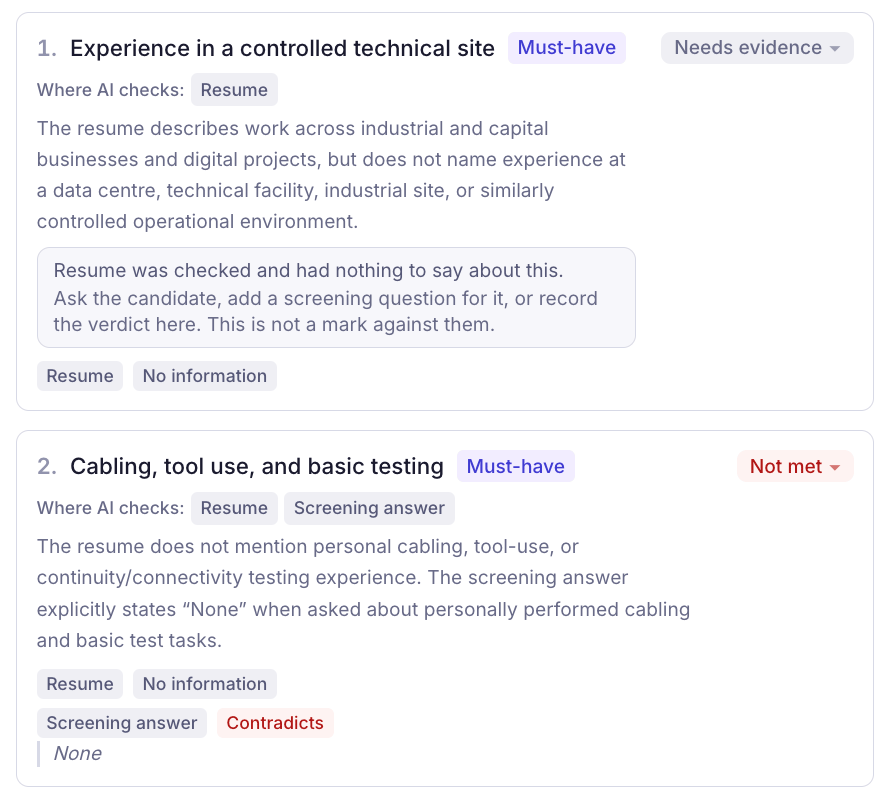
Once the AI review is complete, open the candidate’s profile and navigate to the Review tab to see their evaluation results.KitaHQ displays which job-specific criteria are Met, Not Met, or Need Evidence, along with explanations and supporting evidence from resumes, screening answers, and documents. You can review the overall criteria match, see exactly where the AI found supporting information, and identify any missing evidence.You can also update the evaluation results manually or click Run evaluation again when new candidate information becomes available.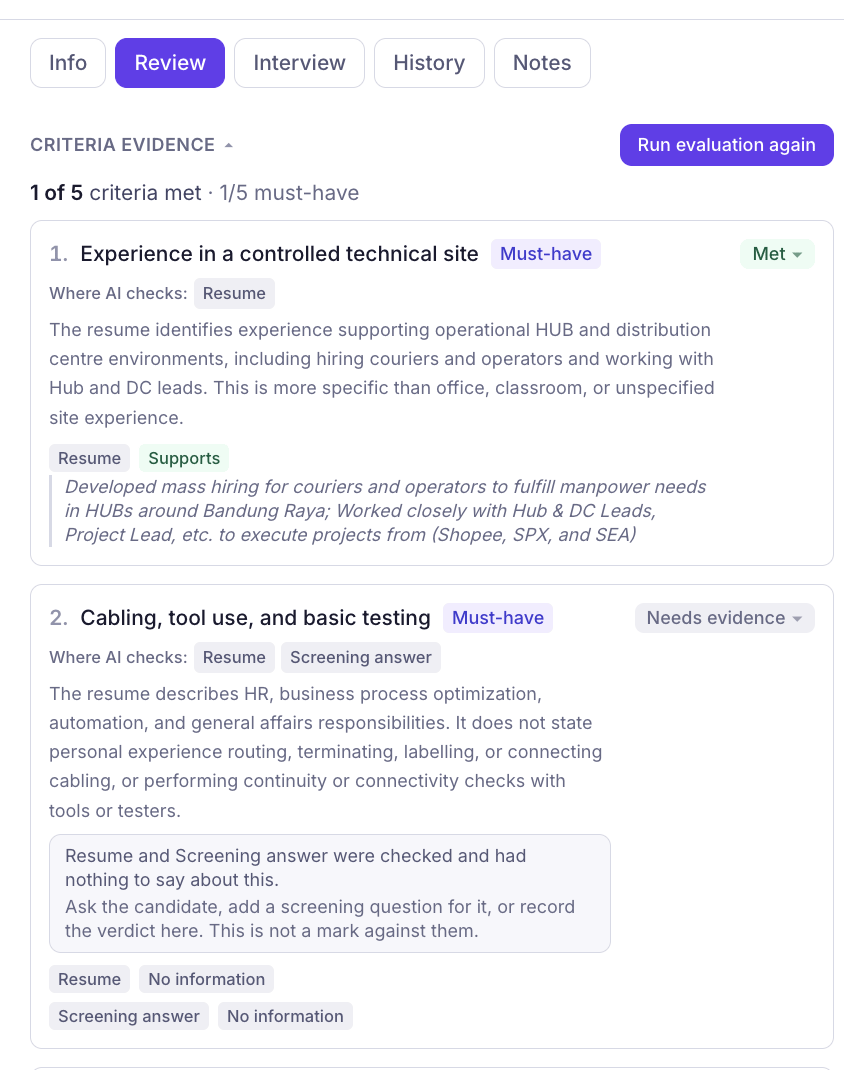
Define Your Evaluation Criteria
KitaHQ automatically generates evaluation criteria based on your job description. Each criterion specifies what candidates need to demonstrate, how important the requirement is (Must-have or Nice-to-have), and what evidence is needed to assess it. For example, if a role requires at least one year of relevant experience, KitaHQ can evaluate the candidate’s employment history against that requirement rather than relying on general keyword matches.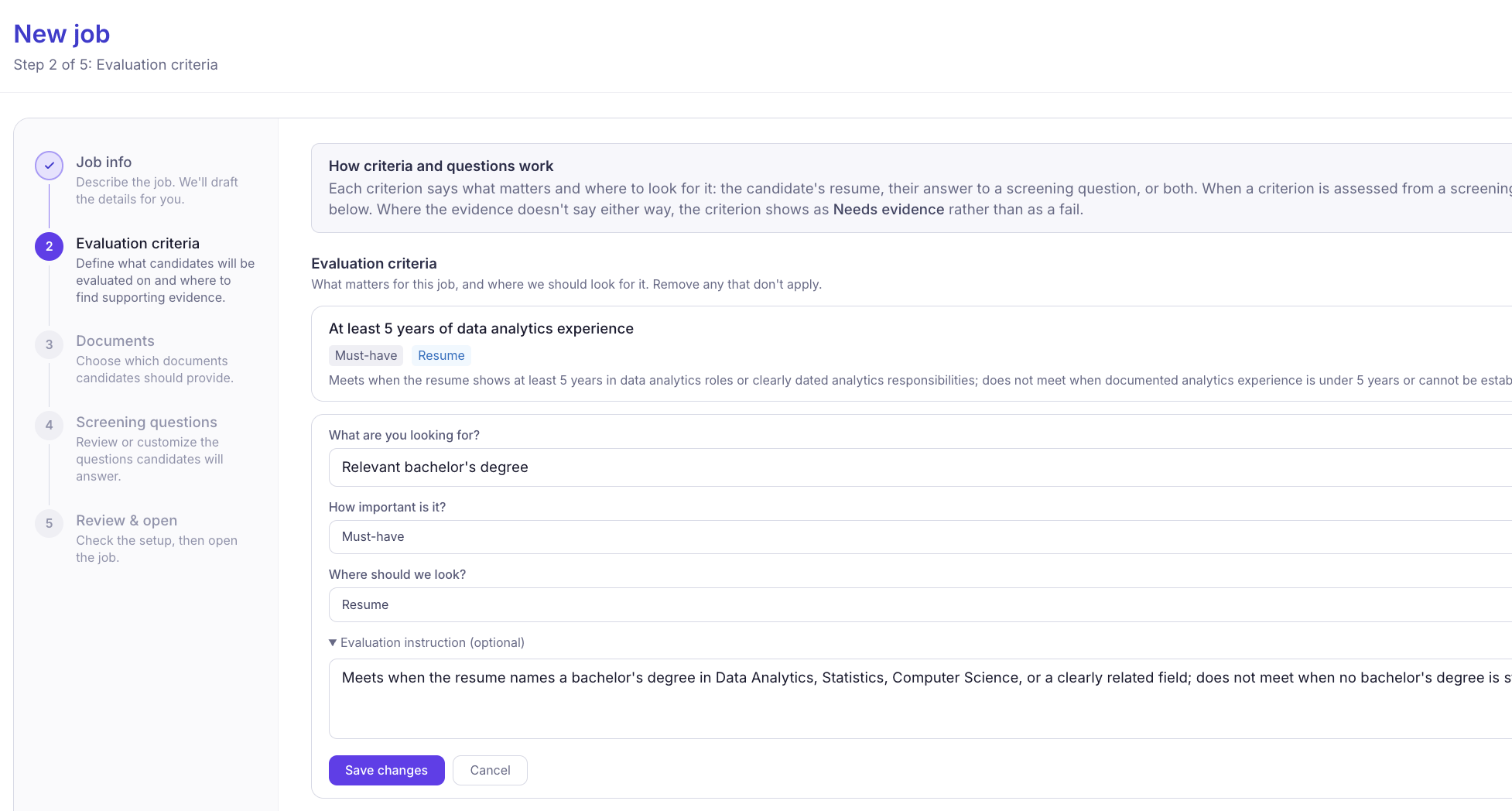
Customize Evaluation Requirements
You can edit, add, or remove evaluation criteria to match your hiring needs. Define specific requirements, select supporting evidence sources, and customize evaluation instructions to guide how each criterion should be assessed. To manage these settings, navigate to Jobs, select the relevant job, and open the Screening tab under Job Details.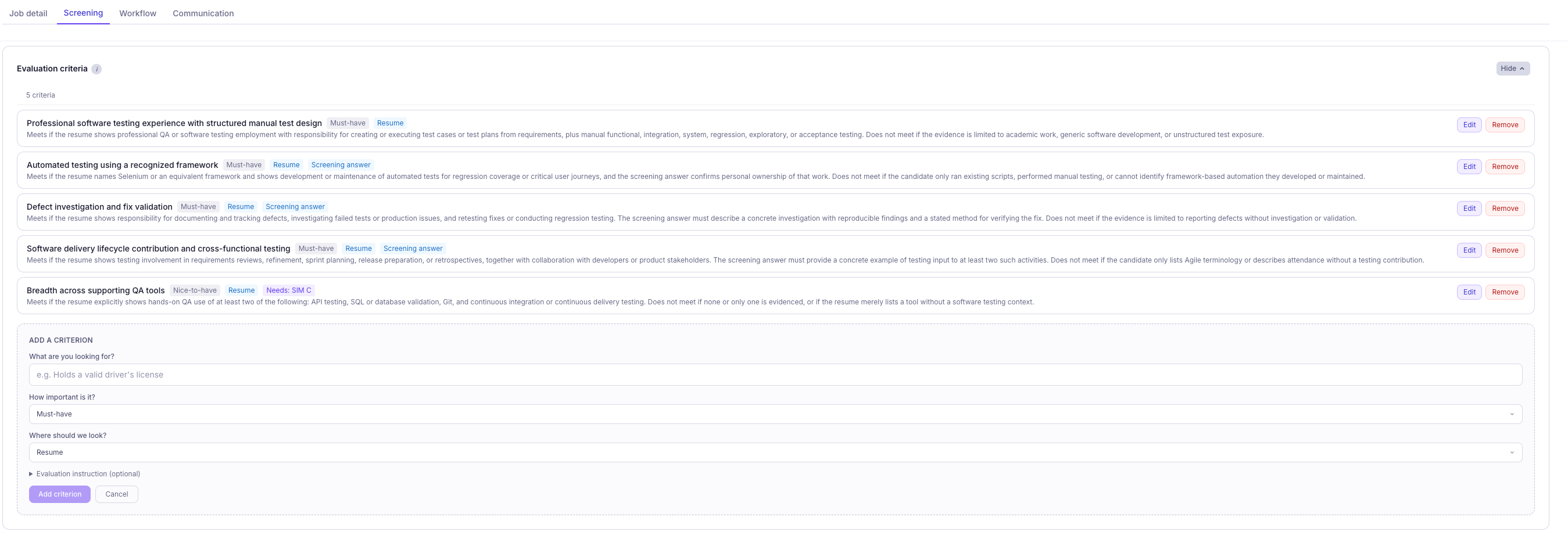
Make More Informed Hiring Decisions
Review AI-generated criteria matches alongside supporting evidence to understand why candidates meet or do not meet particular job requirements. Instead of manually reviewing every resume and screening response, recruiters can focus on verifying qualifications, identifying evidence gaps, and moving suitable candidates forward. With KitaHQ, candidate evaluations go beyond keyword matching, providing a more structured, transparent, and evidence-backed approach to screening.