

1
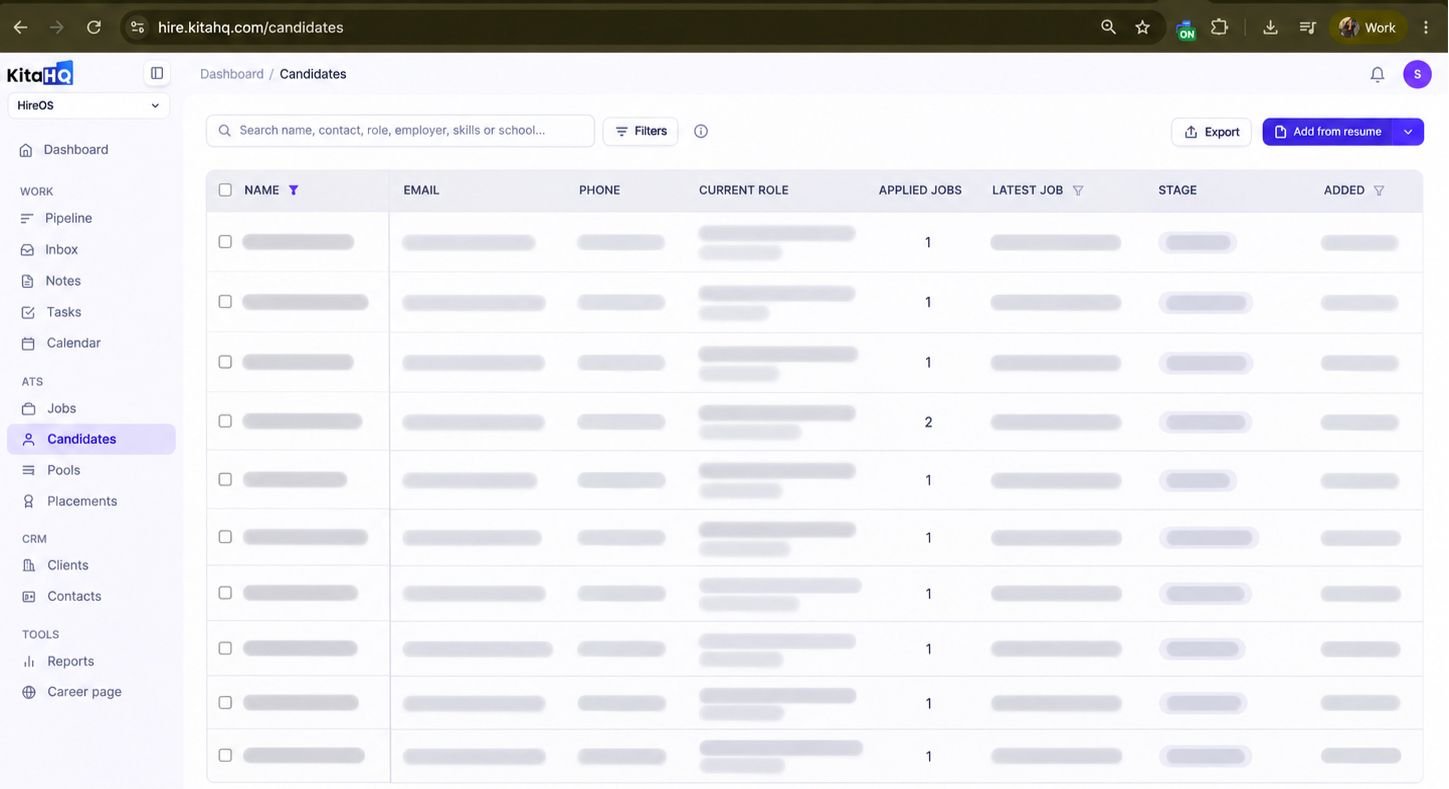
Navigate to Candidates from the left sidebar in your KitaHQ workspace, then click Add from resume in the top-right corner of the Candidates page.
2
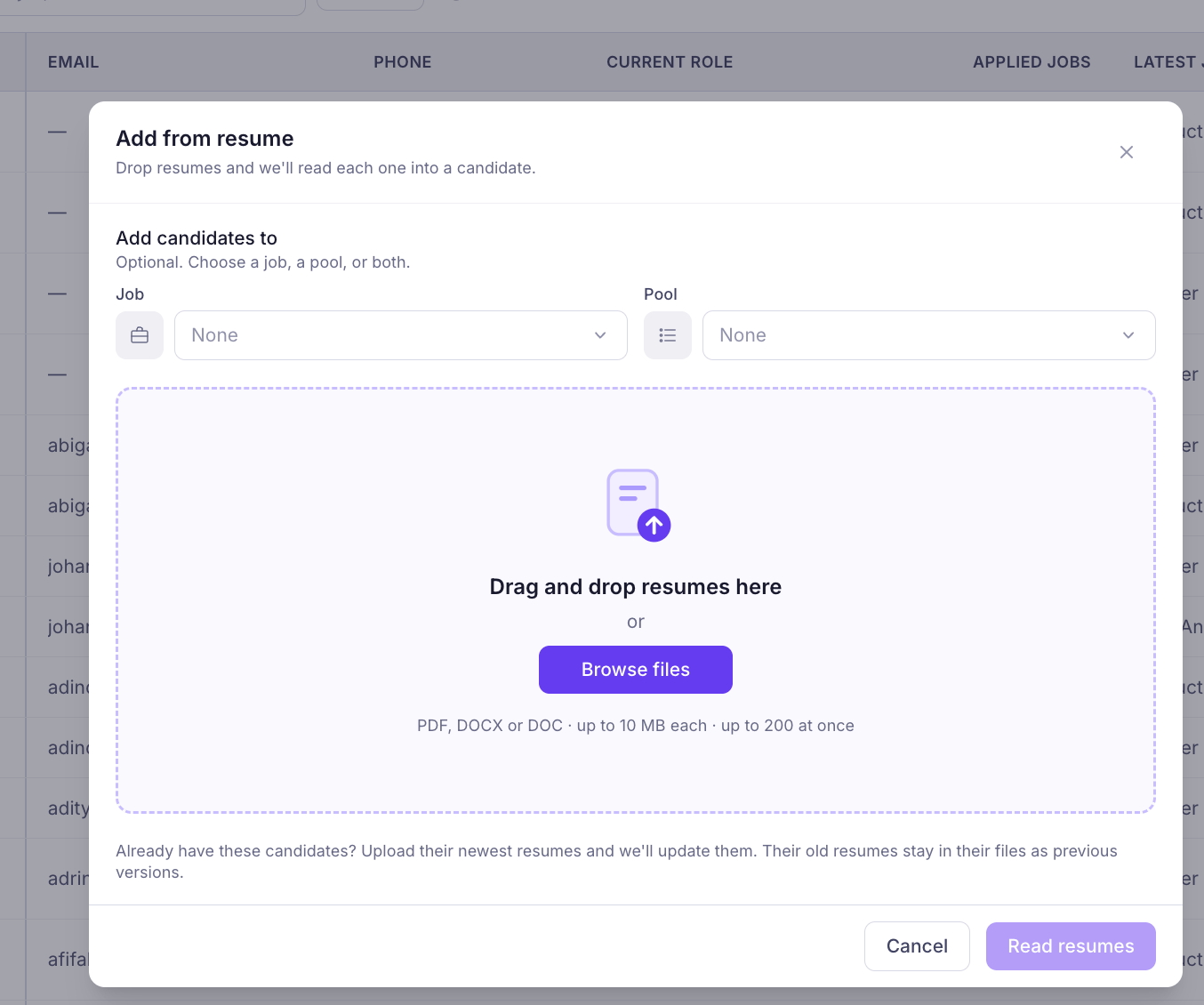
Select a Job or Pool (optional), then drag and drop your resumes or click Browse files to upload. You can upload up to 200 resumes at once in PDF, DOCX, or DOC format (maximum 10 MB per file). Once uploaded, click Read resumes to start parsing.
3
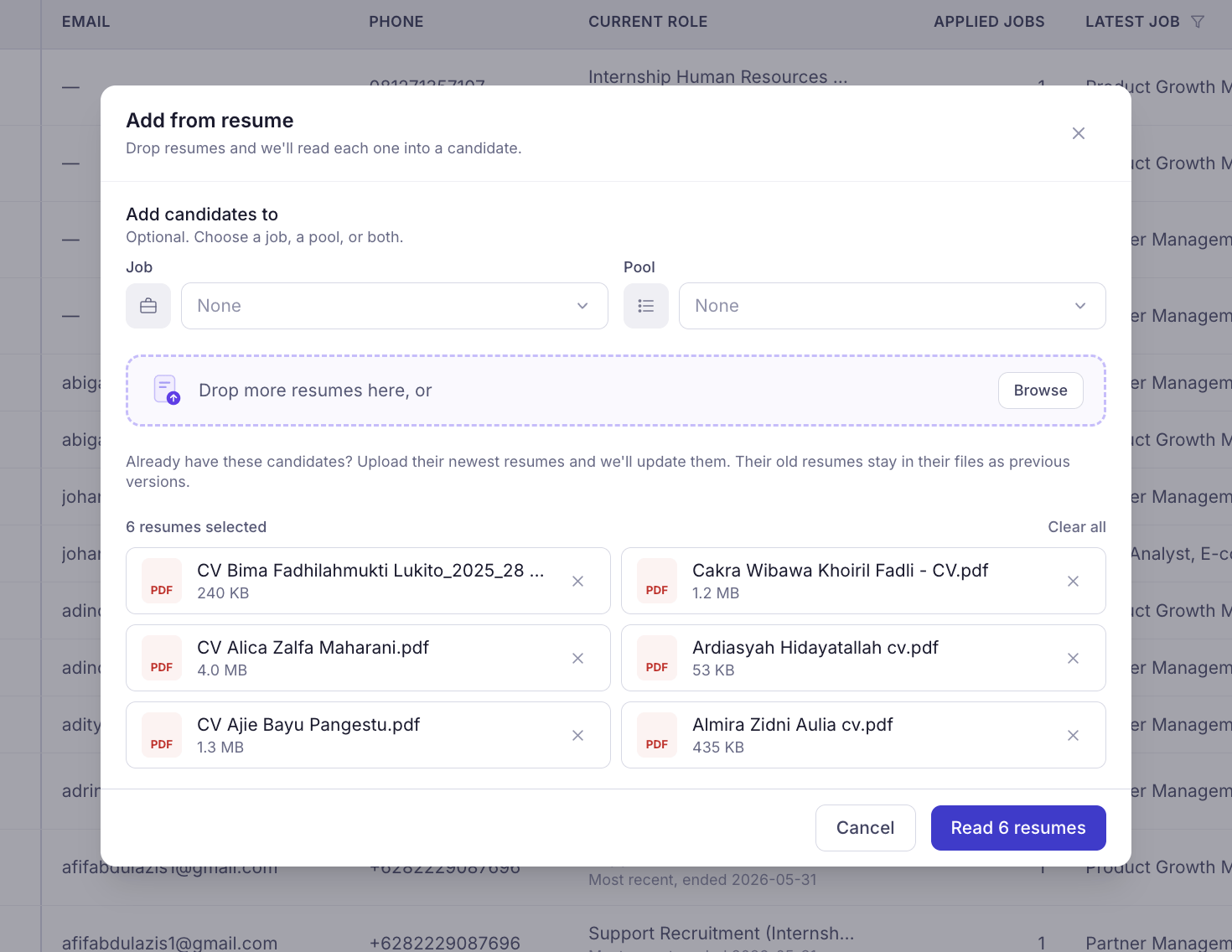
Review the selected resumes and confirm the files are correct. You can add more resumes or remove any files before clicking Read resumes to begin parsing.
4
Click Read resumes to automatically parse the uploaded CVs and add candidates to your database.