

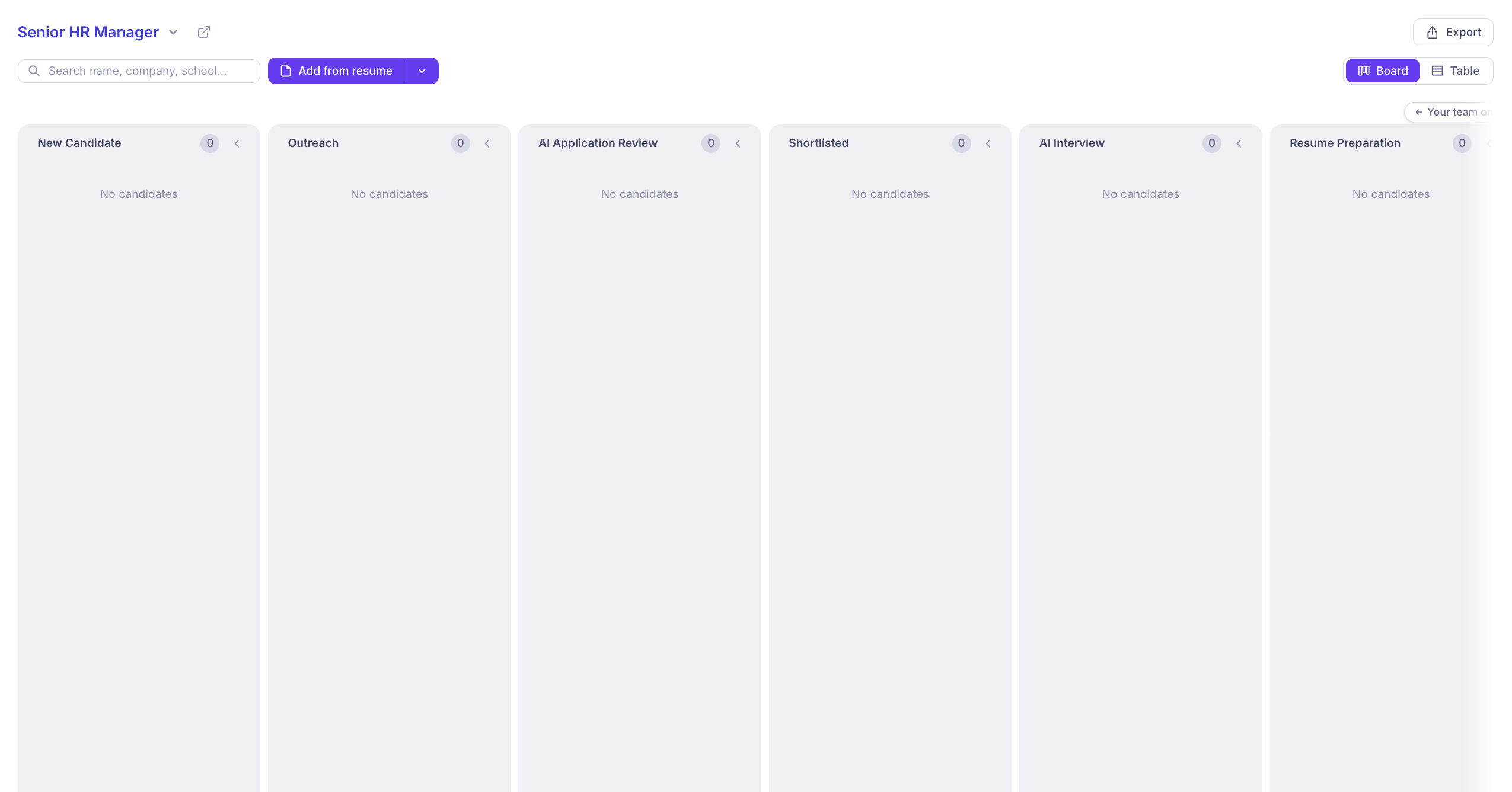
Customize Your Hiring Pipeline
Create a dedicated hiring pipeline for each job, with customizable stages that reflect your recruitment process. KitaHQ’s default hiring pipeline includes:- New Candidate: Capture candidates from applications, sourcing platforms, or resume uploads.
- Outreach: Initiate personalized candidate outreach and follow-ups.
- AI Application Review: Evaluate candidates against job-specific criteria using evidence from resumes, screening answers, and supporting documents.
- Shortlisted: Identify qualified candidates ready to move forward.
- AI Interview: Conduct structured AI interviews and review recordings, transcripts, and candidate insights.
- Resume Preparation: Prepare client-ready resumes before sharing candidates with hiring managers.
- Client Review: Share shortlisted candidates with clients or hiring managers for review and feedback.
- Interview 1: Coordinate the first interview and collect feedback.
- Interview 2: Manage additional interviews and evaluations.
- Interview 3: Conduct final interviews and gather feedback.
- Shortlisted for Offer: Identify candidates selected to receive an offer.
- Offer Sent: Track offers shared with candidates.
- Negotiation: Manage offer discussions and negotiations.
- Offer Accepted: Track candidates who have accepted their offers.
- Onboarding: Manage candidates transitioning into their new roles.
- Drop & Archive: Move candidates who are no longer progressing in the hiring process out of the active pipeline.
Automate Actions at Every Stage
Configure stage-specific actions to streamline repetitive recruitment tasks. When candidates move to a new stage, KitaHQ can suggest actions such as starting outreach sequences, running AI application reviews, preparing client-ready resumes, or setting up interviews. These actions are presented for your approval before execution, helping you maintain control while reducing manual work.Collaborate With Hiring Manager
Choose which hiring stages are Visible to Hiring Manager and which remain accessible only to your internal recruitment team. Share relevant candidates with interviewers through the Interviewer Portal, where they can review candidate information and provide feedback without accessing your entire KitaHQ workspace.Track Candidate Progress
Get a clear view of candidates at every hiring stage, including their evaluation results, interview status, and pending actions. Quickly identify who is ready to move forward and keep your recruitment process organized. With KitaHQ, your pipeline does more than track candidates. It helps your team take action at every stage and move the right candidates forward faster.Add Candidates
Easily add candidates directly to a job’s hiring pipeline using multiple options:- Add from Resume: Upload resumes and automatically parse candidate information.
- Enter Details Manually: Create candidate profiles by entering their information.
- Import a Spreadsheet: Add multiple candidates at once using a spreadsheet.
- Add from a Pool: Move candidates from your existing talent pools into the job’s pipeline.
- Transfer from Another Job: Transfer existing candidates between job pipelines without re-entering their details.