

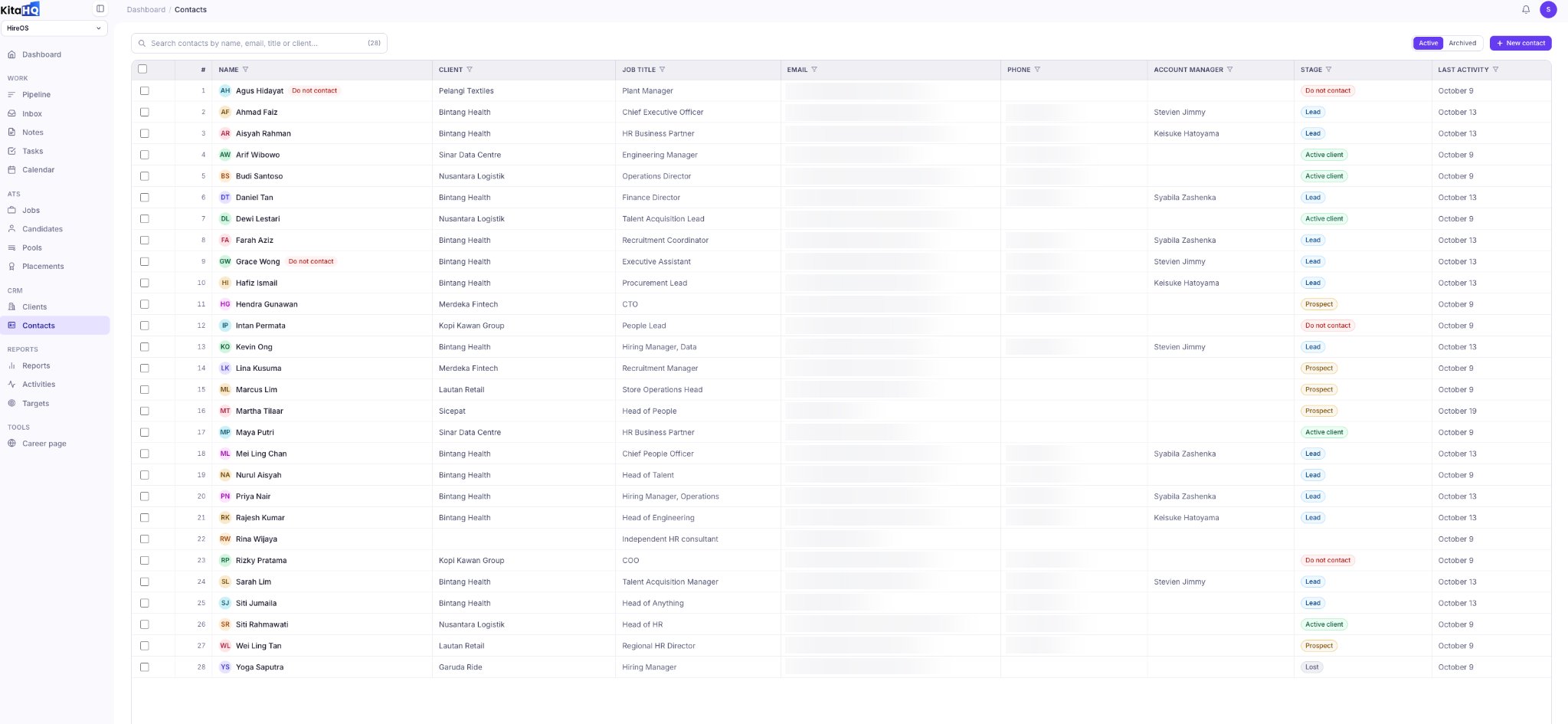
Manage your contacts in one centralized CRM, from initial prospects and leads to active clients. Keep contact details organized, track each opportunity’s progress, and stay on top of follow-ups throughout your sales process. Image

Centralized Contact Database

Store and manage contact information, including names, associated clients, job titles, email addresses, phone numbers, and assigned account managers. Keep contacts linked to their respective client accounts for easy access and better collaboration.

Search and Manage Contacts

Quickly find contacts by name, email, job title, or client. View active and archived contacts, and organize your database to keep contact information accessible and up to date.

Track Leads and Sales Progress

Manage contacts through different CRM stages, including Prospect, Lead, Active Client, and Lost. Monitor each contact’s progress, track recent activity, and assign account managers to ensure opportunities and follow-ups stay organized. Mark contacts as Do Not Contact when necessary. With KitaHQ, manage your contacts from prospect to client in one place, helping your team stay on top of opportunities, coordinate follow-ups, and build stronger client relationships.