

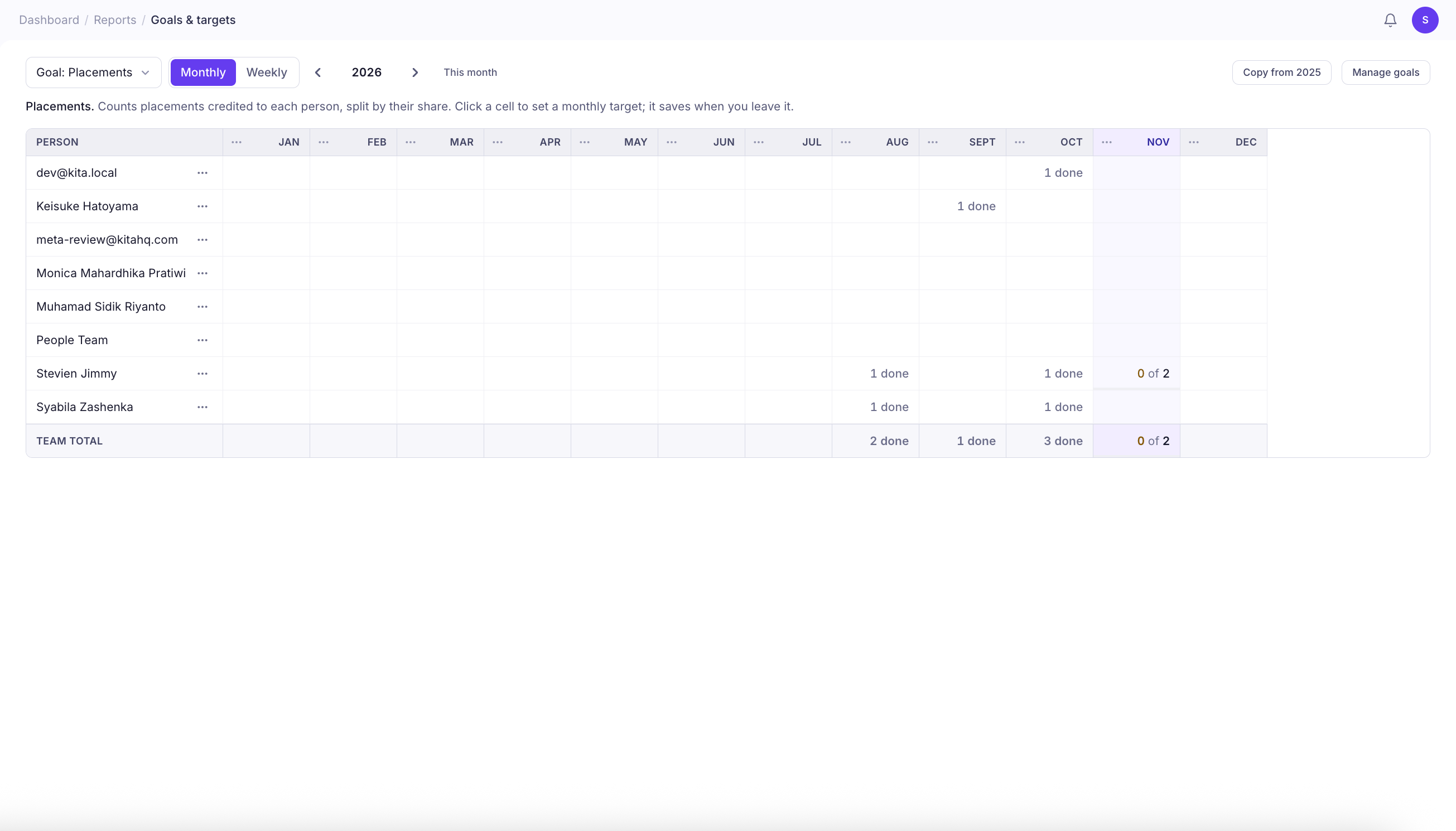
Set Recruitment Targets
- Navigate to Targets from the left sidebar under Reports.
- Click the Goal dropdown to select the metric you want to track.
- Choose Monthly or Weekly to set your target period.
- Use the navigation arrows to move between years or quarters.
- Find the team member and period you want to set a target for.
- Click the corresponding cell and enter your target.
Choose What to Track
KitaHQ supports four recruitment target metrics:| Goal | What It Tracks |
|---|---|
| Placements | The number of placements credited to each team member, split by their share. |
| Hires | The number of candidates successfully hired. |
| Profiles Shared with Clients | The number of candidate profiles shared with clients. |
| Fee Value | The total placement fee value credited to each team member. |
Set Monthly or Weekly Targets
Switch between Monthly and Weekly views depending on how you want to measure performance.- Monthly: Set targets for each month of the selected year. Click a cell to enter a target. Changes are saved automatically when you leave the cell.
- Weekly: Set targets for individual weeks within the selected quarter. Enter your values in the corresponding cells and click Save Targets.
Track Target Progress
Once targets are set, KitaHQ displays progress directly in the target table, so you can see how each team member is performing against their goals. For example, 0 of 2 under Placements means the team member has completed zero placements against a target of two for that period. The Team Total row provides an overview of your team’s combined progress, helping you monitor recruitment performance at a glance.Manage and Reuse Targets
You can also manage your targets using the options in the top-right corner of the page.- Manage Goals: Access goal management settings.
- Copy from Previous Year: Copy existing targets from the previous year instead of entering them individually.